
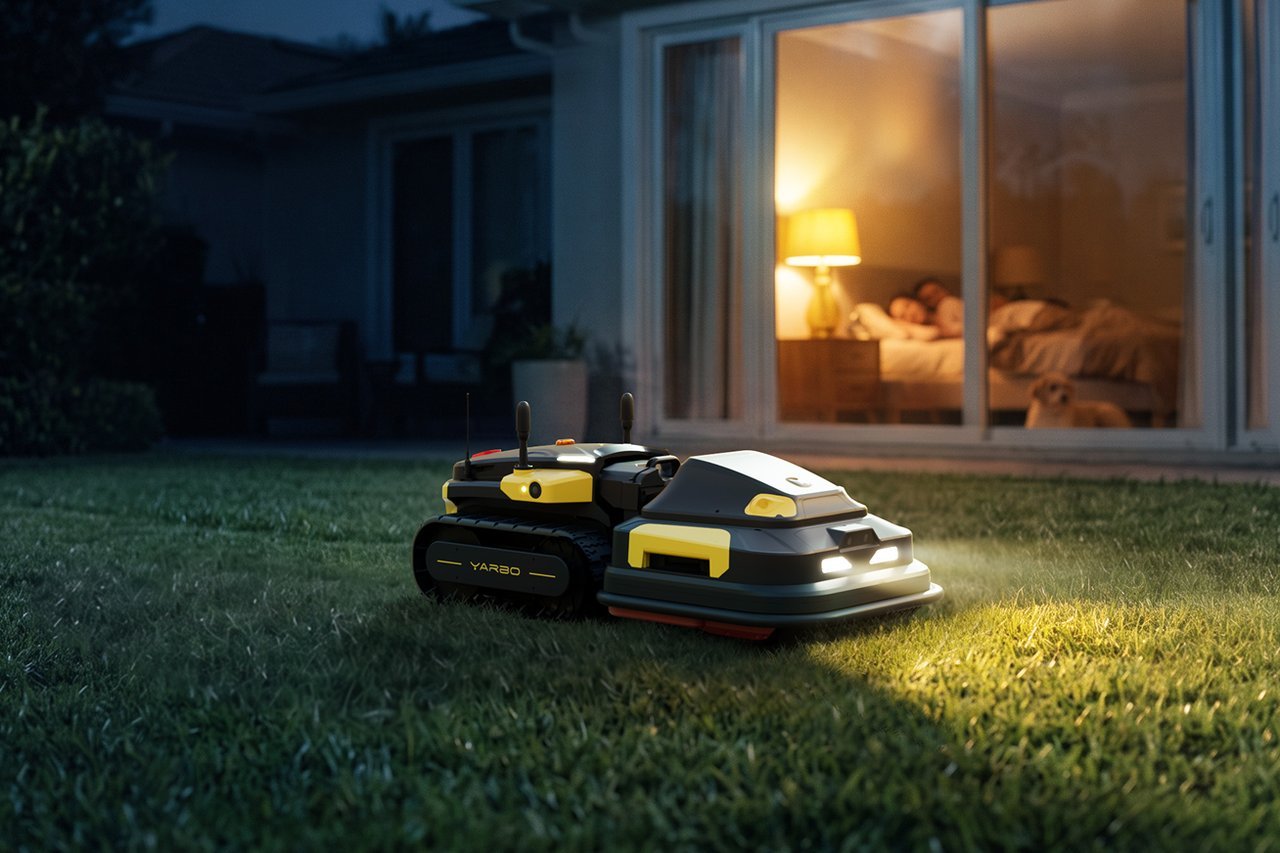
The Future of Robotic Lawn Mowers: Quieter, Wire-Free
The future of robotic lawn mowers is quieter, wire-free, and more self-aware. Most new models now navigate by GPS and camera instead of a buried boundary wire, and they cut in planned stripes rather than random turns.
Who this page is really for

Three kinds of people search this topic. The first owns a small, flat yard under a quarter acre and wants to stop pushing a mower on weekends. The second already owns an older robotic mower with a boundary wire and is deciding whether to upgrade or wait.
If you just want to know whether a robot can handle your yard at all, start with the manufacturer’s own lawn-size chart instead.
What actually decides the outcome
Lawn size and layout. Every maker publishes a maximum area per model, and those numbers assume an open, obstacle-free lawn. A yard broken into narrow strips or split by a fence takes far longer to cover than its square footage suggests. Measure your lawn on a map tool, then compare it to the maker’s own rating.
Navigation type. Wire-free GPS and camera systems need a clear view of the sky and a stable signal. A wired boundary system works fine in heavy shade or tight gardens where GPS drifts. This is the factor people get wrong most often — they buy for the trend, not the yard.
Obstacles and traffic. Fallen fruit, toys, pet waste, and shallow roots all stop a robot or damage its blades.
Software updates. Wire-free mowers improve over time through app updates, so the model you buy today may handle your yard better in a year.
Setting up a wire-free mower
- Map the lawn boundary in the app. Drive or walk the perimeter once with your phone. The mower stores that outline as its working zone.
- Mark off no-go areas. Add zones around flower beds, ponds, and tree trunks. Keep each zone at least 12 inches wider than the actual obstacle.
- Set a docking station spot. Pick level ground within reach of a power outlet, with about 3 feet of clear space on both sides.
- Charge the mower fully before the first run. Most makers ship it partly charged. Check the app — it shows a full battery when ready.
- Run a supervised first cut. Watch the whole cycle once. Note where it slows, turns, or gets stuck.
- Adjust the cutting height. Start high for the first few weeks, then lower it in steps of about half an inch.
- Set a schedule. Two or three short cuts a week beat one long one. The app suggests a plan based on your lawn size.
- Check the blade and sensors monthly. Wipe the camera lens and shake off clippings. Dull blades tear grass instead of cutting it.
- Review the map after a month. Trim the zones where the mower wasted time, and widen any it missed.
The judgement call is the schedule, not the map. A robot that runs too long each day wears its blades and battery faster. Short, frequent passes give a better lawn and a longer machine life.
If your lawn sits on a slope steeper than the maker’s stated limit — often around 25 to 35 percent, and printed in the manual — stop there. A mower that slides can damage itself. That job needs a different machine or a professional.
The variations at a glance
The right move depends on your yard, not on which model is newest.
| Your situation | What to do | What it takes | What to watch for |
|---|---|---|---|
| Small flat lawn, under a quarter acre | Buy a basic wire-free model | Lowest cost, easy setup | Weak GPS near tall buildings |
| Lawn split by fences or paths | Use a wired boundary system | More setup work | Wire breaks over time |
| Heavy shade or tree cover | Stay with wired navigation | Standard install | GPS drift causes missed strips |
| Steep slope over 25 percent | Check the manual’s slope limit first | May need a pro | Sliding and rollover risk |
| Pets and young children in the yard | Set no-go zones and run by day | Extra app setup | Toys and waste stop the blades |
| Already own a wired mower | Wait one more season | No cost now | New tech still maturing |
What separates a good result from a poor one

Experienced owners treat the first month as a tuning period, not a test. Beginners often set it loose once, see a missed patch, and assume the machine is faulty.
Preparation before the first run
Walk the lawn and pick up everything. Mow once with a regular mower to level tall grass. Check the manual’s slope limit and measure your steepest section. These 30 minutes prevent most first-week problems.
What to check while it’s running
Watch the first three or four cycles. Note every spot where the mower turns back or leaves uncut grass. Add those as map adjustments the same day. Leave the blade height alone for the first two weeks.
What goes wrong, and what to do
Most problems show up in the first few weeks, and nearly all of them trace back to the map or the lawn itself.
| What you notice | What it usually means | What to do first | How to stop it happening again |
|---|---|---|---|
| Strips of uncut grass | Map boundary set too tight | Redraw that edge in the app | Walk the perimeter slowly |
| Mower stops in one spot | Obstacle or soft ground | Clear the spot, restart | Mark it as a no-go zone |
| It drifts off course | Weak GPS signal | Move the dock to open sky | Check signal before buying |
| Torn, ragged grass tips | Dull blade | Replace or sharpen the blade | Check blades monthly |
| Battery drains fast | Long grass or cold weather | Cut more often, shorter | Raise height in cold months |
| It won’t return to dock | Dock moved or blocked | Clear the path to the dock | Keep 3 feet clear each side |
The rules that apply
Robotic mowers sold in the US fall under safety standards set by the U.S. Consumer Product Safety Commission, and manufacturers must meet them before sale. In Europe, the relevant standard is published by the International Electrotechnical Commission and adopted by national bodies.
Battery disposal is regulated too — lithium-ion packs can’t go in household trash in most US states. Check your state’s environmental agency page for the drop-off rules where you live.
Radio equipment rules differ by country as well. If you import a mower yourself, check that its wireless module is approved for your region before you run it.
What it costs you
The upfront price is the small part. A wire-free mower costs more than a wired one at purchase, but you skip the cost of installing boundary wire or paying someone to bury it. That install is where wired systems quietly get expensive.
Running costs are low: electricity to charge the battery, plus replacement blades every season or two. Battery replacement is the big future expense, and it arrives years in, not months.
Prices change often and vary by region, so check the maker’s own site for today’s numbers rather than trusting a figure from an old review. Compare total cost over the years, not sticker price.
Keeping it right afterwards
Check the app’s coverage map once a month. If the mower starts missing the same patch twice, the map needs a small edit — not a new machine. Clean the underside and blade weekly during growing season, and clear the dock area of leaves and clippings.
Watch for slower docking, longer charge times, or shorter run times. Those three signs together usually mean the battery is aging. Replace it before it fails mid-lawn, and the rest of the mower keeps working fine. Store it indoors over winter and charge it to about half first.
When a robotic mower is the wrong choice

A lawn over about an acre with complex landscaping usually costs more in robot time than it saves. Hire a lawn service instead — they’ll finish in one visit.
If your lawn is mostly steep slope, a robotic mower is the wrong tool. Buy a self-propelled mower or pay a landscaper.
And if the lawn is really a wildflower meadow or naturalized area, don’t automate it. A robot cuts everything to one height, which destroys that kind of planting.
Frequently asked questions
Can robotic mowers work without a boundary wire?
Yes. GPS and camera-based models map your lawn and need no buried wire. They work best on open lawns with a clear sky view. Heavy tree cover can weaken the signal and cause missed patches.
Why do robotic mowers cost so much?
The navigation tech, sensors, and battery drive the price. Wire-free models cost more than wired ones because of the mapping hardware. Prices are falling as that technology spreads across more brands.
How long does a robotic mower battery last?
Most lithium-ion packs last a few seasons with normal seasonal use. Cold weather and long daily run times shorten that. Check your maker’s manual for its stated cycle count.
Is it safe to run a robotic mower around pets and children?
Yes, if you set no-go zones and run it during the day. Modern mowers stop their blades when lifted or tilted. Still, keep small children and pets away during cutting hours, and pick up toys first.
What happens if my robotic mower gets stolen?
Most models have a PIN lock and GPS tracking through the app. Register the serial number with the maker at purchase. That registration is what police and insurers ask for if it’s taken.
Does it matter which brand I pick for future updates?
Yes. Brands with active app development add features and fix mapping problems over time. Check the app store’s update history before buying. A model with no updates in a year is a dead end.
How often should I replace the blades?
Every four to eight weeks during growing season, depending on lawn size and growth. Replace sooner if you see torn grass tips. Sharp blades cut cleanly and use less battery.
Will robotic mowers get cheaper in the next few years?
Likely yes, as GPS and camera modules get cheaper and more brands enter the market. Wire-free tech is spreading from premium models down to budget ones. Watch entry-level prices each spring.
What to do next
Measure your lawn and check your steepest slope before you buy anything. Expect a well-mapped mower to cut your whole lawn within the first week, with the app showing full coverage. If it keeps missing large areas after a month of tuning, stop adjusting and call the maker’s support line.

Daniel Carter is a home improvement specialist and tool researcher with years of experience studying power tools, hand tools, workshop equipment, outdoor gear, and DIY projects. At HomeToolWorld, he researches products, compares features, reviews manufacturer specifications, and creates practical buying guides to help homeowners, DIY enthusiasts, and professionals make informed decisions. His goal is to provide accurate, easy-to-understand, and trustworthy content based on careful research and real-world applications.