
Do Robot Mowers Work in Rain? What Your IP Rating Says
Most robot mowers do work in rain, but only if their IP rating is IPX4 or higher — and many owners still send them out in a downpour. Light rain is usually fine. Heavy, steady rain is where you should hold back. Check your model’s manual first, because the rating decides everything.
The rating on the box is the whole story here. IPX4 means the mower handles splashing water from any direction. IPX5 and IPX6 handle stronger jets. If your model only lists IPX3 or lower, rain will get inside the electronics, and that’s not a warranty repair — it’s on you. Look for the IP number in the manual or on the spec sheet before the first wet day.
The mistake people make is leaving a wet mower sitting on the dock for days. Water pools around the charging contacts, and that’s where corrosion starts. Wipe the contacts dry after a wet run. If your mower has been out in heavy rain and won’t charge, don’t force it — let it dry fully first.
Running your robot mower in wet weather
-
Check the IP rating before the first wet cut. Read the manual or spec sheet for the IP number. IPX4 or above means light rain is safe. Below IPX4, keep it inside when rain is forecast.
-
Set the rain delay to 2–4 hours. Most apps have a “rain delay” setting. Two hours covers a light shower; four hours is safer after heavy rain. This stops the mower starting while the grass is still soaked.
-
Let the grass drain first. Wait at least 2 hours after rain stops before a scheduled cut. Wet clippings clump and block the discharge chute, which stresses the motor.
-
Clean the underside after every wet run. Wet grass sticks to the blades and deck. Scrape it off with a plastic tool within an hour, before it dries hard. A blocked deck causes uneven cuts and overheating.
-
Dry the charging contacts. Wipe them with a dry cloth after a wet session. Moisture on the contacts is the main cause of charging faults on rain-exposed docks.
-
Watch the slope in wet conditions. Wet grass cuts traction. If your lawn has slopes over 15 degrees, the mower may slip or lose its boundary signal. Most manuals list a lower maximum slope for wet use.
Tip: Never hose down a robot mower to clean it, even if it’s rated IPX4. A garden hose delivers far more pressure than rain, and it can push water past the seals.
Tip: If your mower gets stuck in deep wet grass, don’t restart it repeatedly. Pull it out, clear the deck, and let it dry for an hour before running it again.
How long a wet-weather cut takes
A wet cut usually runs 20–40% longer than a dry one, because the mower slows down in thick, damp grass and may need extra passes. The table below shows what to expect in common situations.
| Situation | How long | What changes it | What to watch for |
|---|---|---|---|
| Light drizzle, short grass | 10–20% longer than normal | Grass length, mower speed setting | Clumps behind the wheels |
| Steady rain, medium grass | 30–40% longer | Blade sharpness, deck clearance | Blocked discharge chute |
| After heavy rain, wet soil | Wait 2–4 hours, then normal time | Drainage, soil type | Wheel ruts in soft ground |
| Long wet grass (over 8 cm) | Two passes needed | Cutting height setting | Motor overload warnings |
| Slope over 15 degrees, wet | Up to 50% longer, or skip | Slope angle, tire grip | Boundary signal loss |
If a wet cut is taking far longer than the table suggests, stop and check the deck for clumped grass. A blocked deck is the usual cause, and clearing it takes a few minutes.
Signs the wet cut went well

A good wet cut leaves an even surface with no visible clumps and no streaks of uncut grass. Run your hand over the lawn — it should feel level, not patchy. Listen to the mower during the run: a steady hum means the motor isn’t straining. A grinding or surging sound means wet grass is loading the blades.
Check the charging dock after the mower returns. If it docks and starts charging within a minute, the contacts are dry enough. If it docks but doesn’t charge, the contacts are wet or dirty — clean and dry them, then try again.
For battery and charging safety standards, the UL 8400 outline covers robotic lawn mowers, and you can check UL Solutions’ published guidance for what a compliant dock must do. When the signs disagree — even cut but no charge — the charging test settles it. Fix the contacts before the next run.
Mistakes that spoil a wet-weather cut

-
Running the mower below its IP rating. If the manual says IPX3 or lower, rain gets into the electronics and the repair isn’t covered. Keep it inside and cut when the grass is dry instead.
-
Skipping the rain delay. Starting a cut while the grass is still soaked causes clumping and deck blockages. Set a 2–4 hour delay in the app and let the lawn drain.
-
Leaving wet clippings on the deck. Wet grass dries hard and jams the blades. Scrape the deck within an hour of every wet run, using a plastic tool — never a metal scraper.
-
Hosing the mower down. A garden hose pushes water past seals that rain never reaches. Wipe the body with a damp cloth instead, and dry the charging contacts.
-
Ignoring slope limits in the wet. Wet grass cuts grip, so a slope the mower handles in dry weather can cause slipping or a lost boundary signal. Check the manual’s wet-slope figure and stay under it.
Frequently asked questions
Can robot mowers cut grass in the rain?
Yes, if the mower’s IP rating is IPX4 or higher. Light to moderate rain is fine for most modern models. Below IPX4, rain can reach the electronics and cause damage that isn’t covered by warranty. Always check your manual’s rating before the first wet cut.
Why does my robot mower stop when it rains?
Most models have a built-in rain sensor that pauses the schedule when it detects moisture. This is a safety feature, not a fault. You can adjust the rain delay in the app — 2 hours for light showers, 4 hours after heavy rain.
How long should I wait after rain to mow?
Wait at least 2 hours after rain stops for light showers, and 4 hours after heavy rain. The exact time depends on your soil drainage and grass length. Sandy soil drains faster than clay. If the ground still squelches underfoot, wait longer.
Is it safe to leave a robot mower outside in the rain?
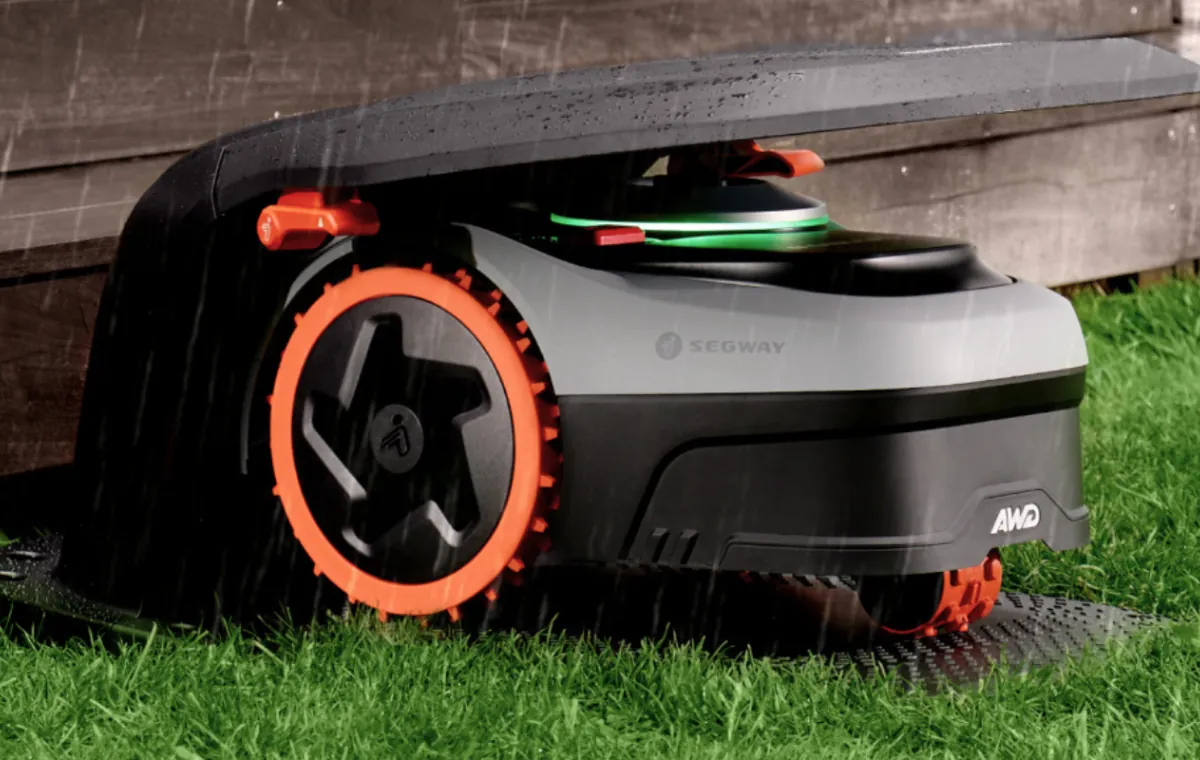
Yes, if it’s rated IPX4 or above and parked on a covered or well-drained dock. Standing water around the charging contacts is the real risk, not the rain itself. Check the dock after storms and clear any pooled water.
What happens if water gets inside a robot mower?
The electronics short out, and the mower may fail to start or charge. Water damage from rain exposure below the rated IP level usually isn’t covered by warranty. If it happens, stop using it, let it dry fully for 24 hours, and contact the manufacturer.
How often should I clean a robot mower used in rain?
Clean the deck after every wet run, and wipe the charging contacts each time. A full clean — deck, blades, wheels, and sensors — every 2 weeks in wet season keeps it running well. Wet grass builds up faster than dry clippings.
Do robot mowers rust in the rain?
The body and blades are usually rust-resistant, but exposed metal parts like screws and charging pins can corrode over time. Drying the contacts after wet runs is the best prevention. Check the pins monthly and replace them if you see rust.
Conclusion
Rain isn’t the enemy — standing water and wet clippings are. Know your mower’s IP rating, set a sensible rain delay, and dry the charging contacts after every wet run. Do those three things and your mower will handle most wet weather without trouble. Skip them, and you’ll be buying a replacement sooner than you planned.

Daniel Carter is a home improvement specialist and tool researcher with years of experience studying power tools, hand tools, workshop equipment, outdoor gear, and DIY projects. At HomeToolWorld, he researches products, compares features, reviews manufacturer specifications, and creates practical buying guides to help homeowners, DIY enthusiasts, and professionals make informed decisions. His goal is to provide accurate, easy-to-understand, and trustworthy content based on careful research and real-world applications.