
Solar Powered Robotic Lawn Mower: How It Works and Setup
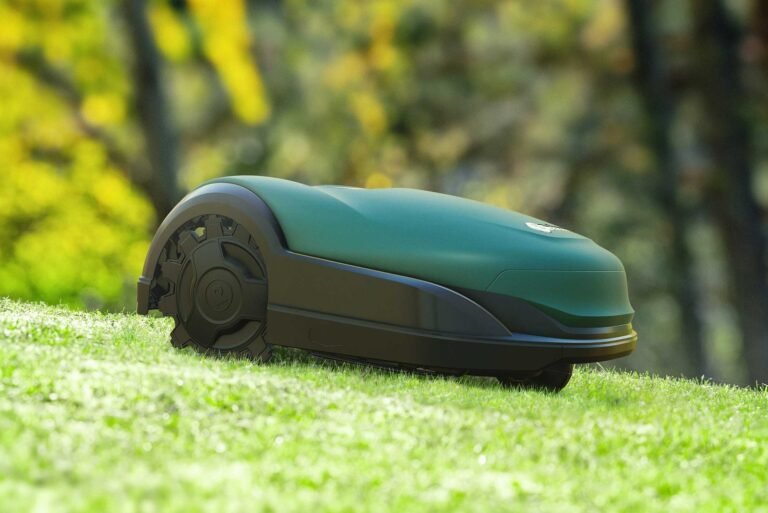
A solar powered robotic lawn mower cuts grass on its own, drawing energy from a panel on its body instead of a cord or a tank of gas. Most models need 2–4 hours of sunlight to charge one mowing cycle, and they work best on lawns under half an acre. This guide covers the real numbers, the setup steps, and where solar falls short.
How solar powered robotic mowing works
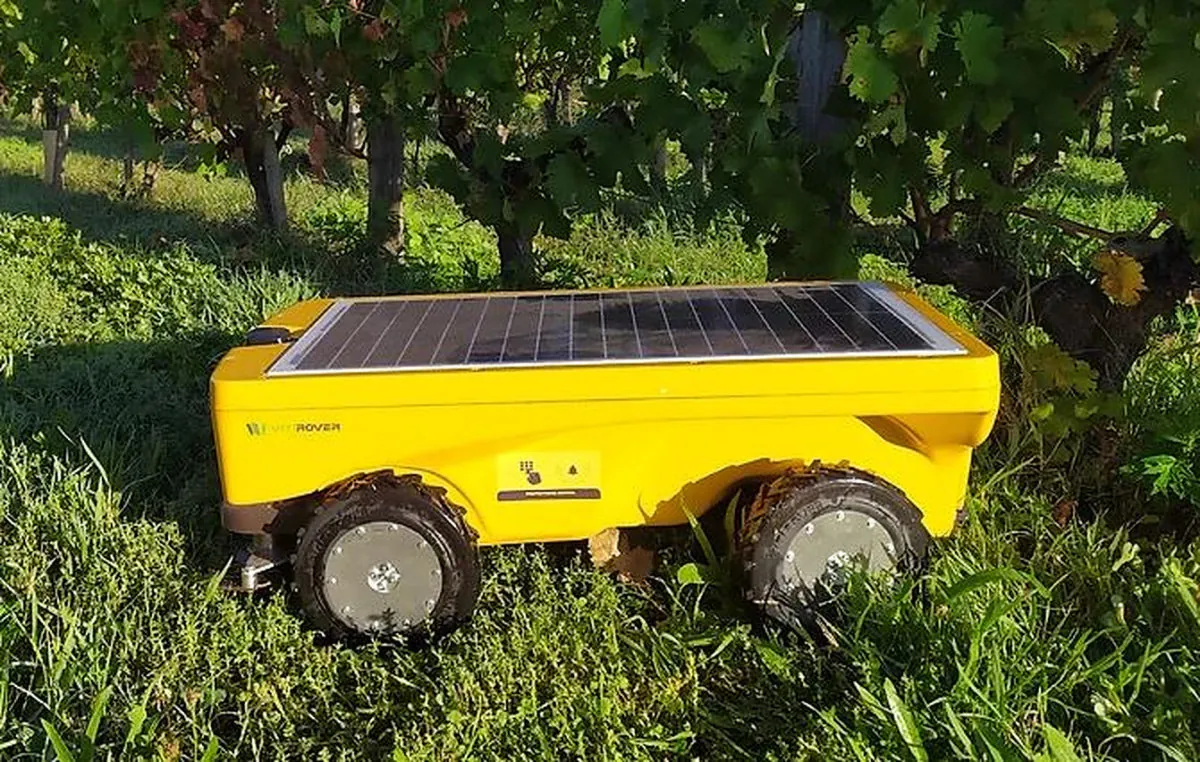
A solar powered robotic lawn mower is a battery mower with a small solar panel built into its top. The panel trickles charge into the battery while the mower sits in the sun, so it tops itself up between cuts. You still plug it in for the first charge and on cloudy weeks. It’s for small to mid-size yards where running a cord is a hassle.
The common misconception is that the panel runs the blades directly. It doesn’t. The panel only feeds the battery, and the battery spins the blades. That’s why a shaded yard underperforms even on a bright day — the panel needs direct light, not just daylight.
Solar charging is slow by nature. A panel the size that fits on a mower deck collects a modest amount of power, so it stretches battery life rather than replacing the wall charger. For exact panel output, check the maker’s spec sheet.
Setting up your solar mower
- Charge the battery fully first. Plug into the wall for 3–4 hours before the first run. The panel alone won’t fill an empty battery.
- Lay the boundary wire. Peg it 12–14 inches from walls and flower beds, and 6–8 inches from a drop-off edge. Bury it or peg it down so blades don’t catch it.
- Place the charging dock in full sun. Aim for 6+ hours of direct light. South-facing is best in the northern hemisphere.
- Set the cutting height. Start at 2.5–3 inches for the first cut of the season, then lower it by half an inch per week.
- Schedule mowing for late morning. Set it to run 2–3 times a week, after the dew dries but before the afternoon shade.
- Clear the lawn first. Pick up twigs, toys, and pine cones. A stuck blade stops the mower and drains the battery.
- Check the app after week one. Most apps log charge cycles and run time, so you can see if solar is keeping up.
The judgement call is mowing frequency. Cutting a little, often, keeps clippings short enough to fall back into the turf as free fertilizer. Letting grass grow tall and cutting it once forces the mower to work harder and drains the battery faster.
If your lawn needs a boundary wire trenched across a public sidewalk, or you’re installing on a rental property, check with your local council or landlord before you dig.
Solar mower numbers to know
Use this as a starting point. Real times shift with panel size, battery capacity, lawn size, and how much sun the dock gets.
| Situation | What to use | How long | What to watch for |
|---|---|---|---|
| Small lawn, under 0.15 acre | Solar mower, 2–3 cuts a week | 2–3 hours charging per cycle | Panel needs 6+ hours direct sun |
| Mid lawn, 0.15–0.5 acre | Solar mower plus wall top-ups | 3–4 hours charging | Battery may not finish a full run |
| Heavy shade, under 4 hours sun | Wall charger as main source | Full charge every 1–2 days | Panel barely adds range |
| Tall, wet spring grass | Raise cut height to 3 inches | Run daily until caught up | Clogged deck drains battery |
| Hot summer, 90°F+ | Mow early morning | 2–3 hours per cycle | Heat shortens battery life |
| First charge, new unit | Wall outlet only | 3–4 hours | Panel can’t do this job |
| Winter storage | Store dock indoors, battery at 50% | Check every 2–3 months | Cold drains a stored battery |
Where good results come from
Experienced owners set the dock before they set the schedule. A dock in shade is the single biggest reason solar mowers underperform, and moving it 10 feet into the sun often fixes a “weak battery” complaint on its own. They also mow on a rhythm, not a mood — same days, same time, so the grass never gets ahead of the blades.
They keep the panel clean. Dust, pollen, and bird droppings cut solar output, and a wipe with a damp cloth every couple of weeks keeps charging near spec. They also sharpen or replace blades on schedule, because dull blades tear grass and leave brown tips that look like disease.
What they leave alone matters too. They don’t chase the mower around the yard or move it mid-cycle, and they don’t crank the height down all at once in spring. If the lawn looks patchy, the fix is usually more frequent cutting, not a lower setting. And they read the maker’s manual for their exact model, because panel size and run time vary a lot between brands.
Problems you’ll actually hit
| What you notice | What it usually means | What to do first |
|---|---|---|
| Mower stops mid-lawn | Battery drained before the cycle ended | Move dock to more sun, or add a wall top-up |
| Short run time after a sunny week | Panel is dirty or partly shaded | Clean the panel, check for new shade |
| Mower misses the same patch | Boundary wire gap or tight corner | Walk the wire, re-peg the gap |
| Blades spin but grass looks torn | Dull or chipped blades | Replace blades per the manual |
| Mower won’t leave the dock | Schedule off, or rain sensor triggered | Check app settings and rain delay |
| Error light on the dock | Docking contacts are dirty or misaligned | Wipe contacts, reseat the mower |
Rules and safety limits
Robotic mowers sold in the US fall under safety standards set by the U.S. Consumer Product Safety Commission, and many makers build to the UL 1447 standard for electric lawn mowers. That covers blade guarding and electrical safety. Check the CPSC guidance on robotic lawn mower safety for recall notices on your model.
Never let children or pets near a running mower, and keep hands away from the blade deck even when it’s stopped. If your mower needs internal repair, take it to the maker’s service center — opening the housing can void the warranty and expose live circuits.
Keeping it running season to season
Clean the panel and the dock contacts regularly during mowing season — how often depends on use, so check the owner’s manual for the schedule. Check the blades regularly and replace them when the cut looks ragged. Before winter, charge the battery to about half, then store the mower and dock somewhere dry and above freezing — cold is what kills a stored battery, not age.
Bring it out in spring with a full wall charge, not a solar one. If run time has dropped a lot compared to last year, the battery is the likely cause, and the maker’s manual or support page will list the replacement part.
When solar isn’t the right pick
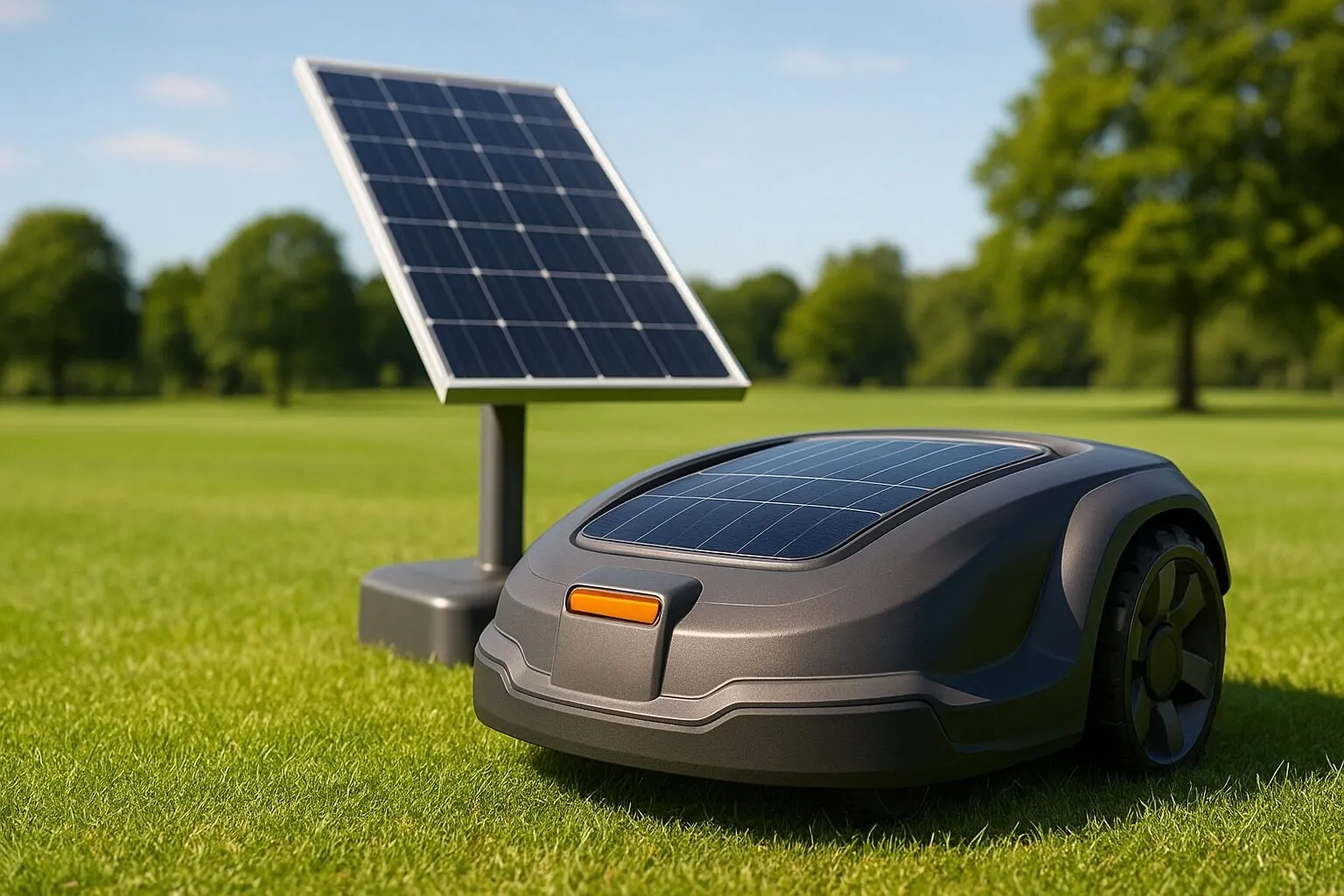
Skip solar if your dock sits in shade for most of the day — a standard corded robot will cost less and work better. Skip it for lawns over half an acre, where the battery can’t keep up and you’ll be topping up by hand. And skip it if you want a striped, manicured finish; a robot cuts evenly but it won’t leave the patterns a reel mower does. In those cases, a wired robot or a lawn service fits better.
Related guides
- Best Power Planers: Top Picks for Smooth Woodworking
- Best Wood Routers 2026: Top Picks for Precision and Power
- Best Cordless Drills: Top Picks for Power & Performance 2024
Frequently asked questions
Can a solar robotic mower run without any sunlight?
No. The panel only trickles charge, so a fully shaded dock means you’ll rely on the wall charger for most cycles. Direct sun for 6+ hours a day is what makes the solar side pay off.
How long does the battery last on one charge?
Most models run 45–90 minutes per charge, depending on lawn size and grass height. Tall or wet grass shortens that run, so cut more often to keep each cycle near the top of the range.
Is it safe to leave it mowing while I’m out?
Yes, if the lawn is clear of toys, pets, and people. The blade stops when the mower lifts or tilts, per the maker’s safety design. Keep kids and pets indoors during scheduled runs.
How often should I mow with a solar mower?
Two to three times a week in growing season, and once every 7–10 days in a dry spell. Frequent light cuts keep clippings short enough to break down in the turf.
What happens if it rains?
Most models have a rain sensor and return to the dock on their own. Check the app’s rain delay setting, and don’t send it out on soaked grass — wet clippings clog the deck.
Do I still need to plug it in?
Yes, at least sometimes. The panel stretches battery life, but a full charge after storage, or a cloudy week, still needs the wall outlet.
How much does one cost?
Prices vary by lawn size rating and features, so check the maker’s site for current pricing on the model that matches your yard. A model rated above your lawn size will last longer per cycle.
Conclusion
Solar mowers suit small, sunny yards where you want low-effort cutting and don’t mind a slower charge. Match the model to your lawn size, put the dock where the sun actually hits, and clean the panel often. Do those three things and the solar side does real work instead of just sitting on the spec sheet.

Daniel Carter is a home improvement specialist and tool researcher with years of experience studying power tools, hand tools, workshop equipment, outdoor gear, and DIY projects. At HomeToolWorld, he researches products, compares features, reviews manufacturer specifications, and creates practical buying guides to help homeowners, DIY enthusiasts, and professionals make informed decisions. His goal is to provide accurate, easy-to-understand, and trustworthy content based on careful research and real-world applications.